Explicate is an AI translation app for iPhone. Paste a message or snap a photo, get a natural translation in seconds, then tap any word to see what it means, how it sounds, and how to say it in the right tone.
Free to use. Beta testers keep Premium free for life.
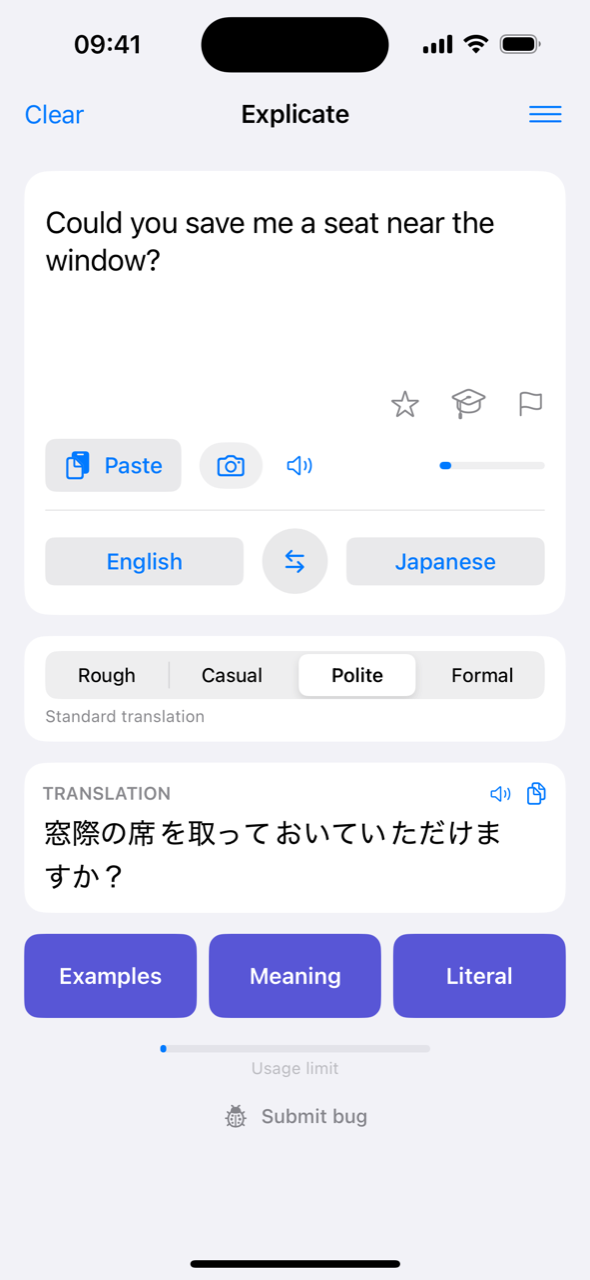
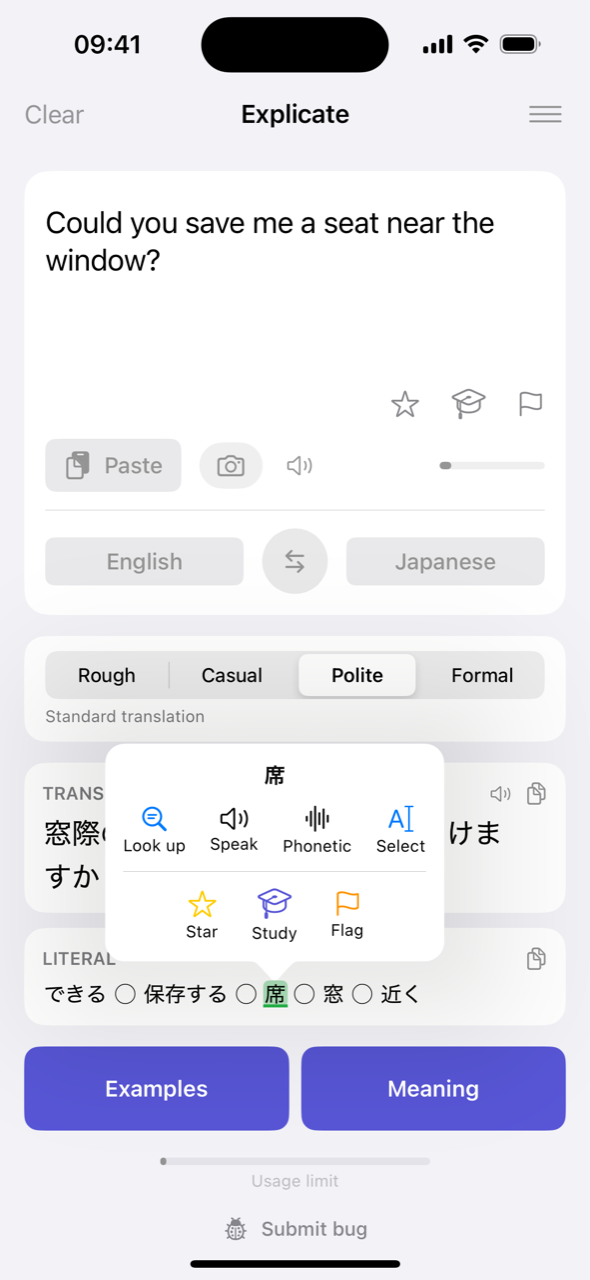
Drop in a text, a menu, a sign, or a line from a show. Explicate recognises the language and sets the pair for you.
The translation streams in as it’s written, the way a native speaker would actually say it. Pick a tone first if it matters.
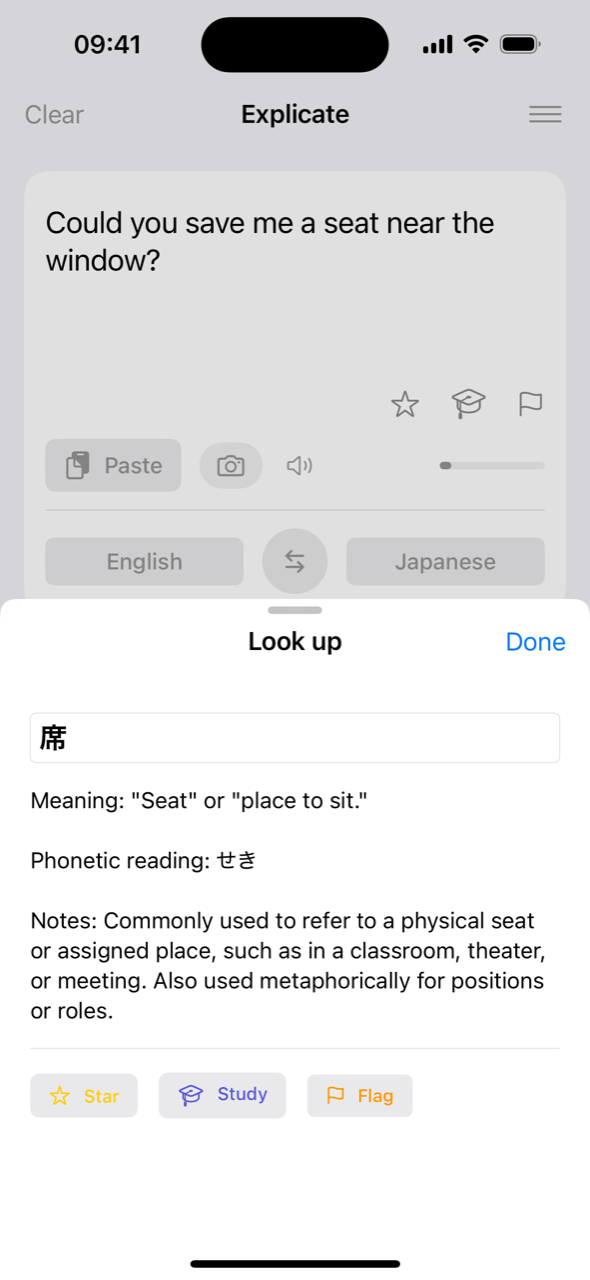
Tap a word to look it up, hear it, or save it. Open Meaning, Examples, or Synonyms when the translation alone isn’t enough.
Most translators stop at the answer. Explicate shows you why it’s the answer, so the next time you won’t need to look it up.
Every word in a translation is live. Tap one to look it up in context, hear it spoken, see its reading, or star it for later. No copying into a dictionary app.


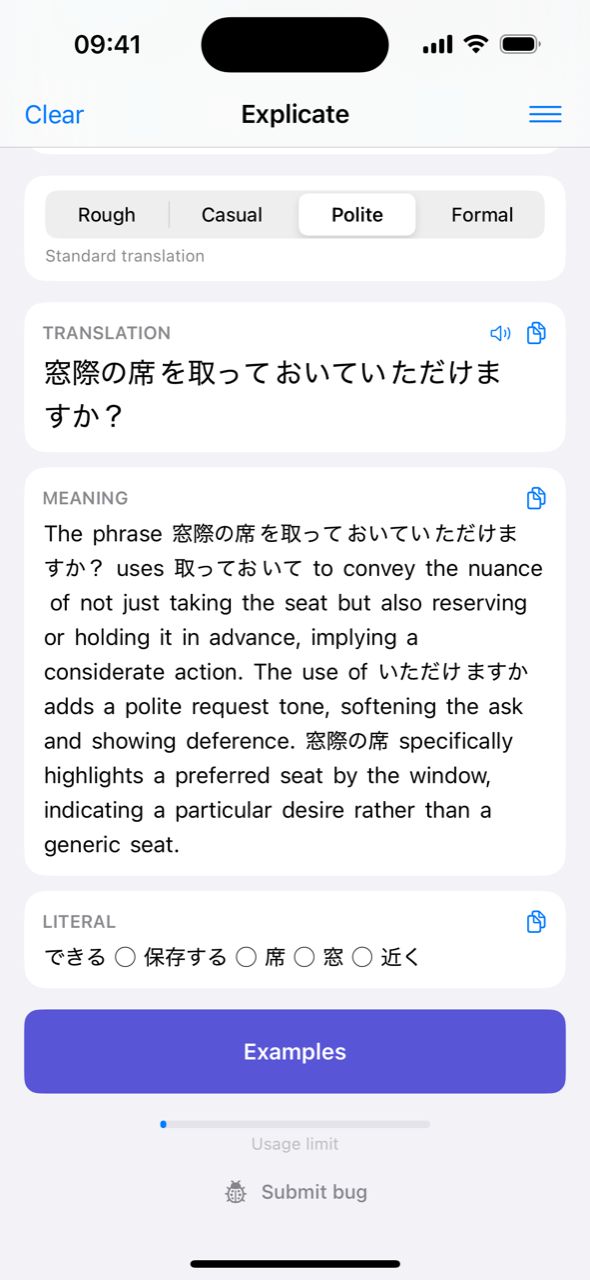
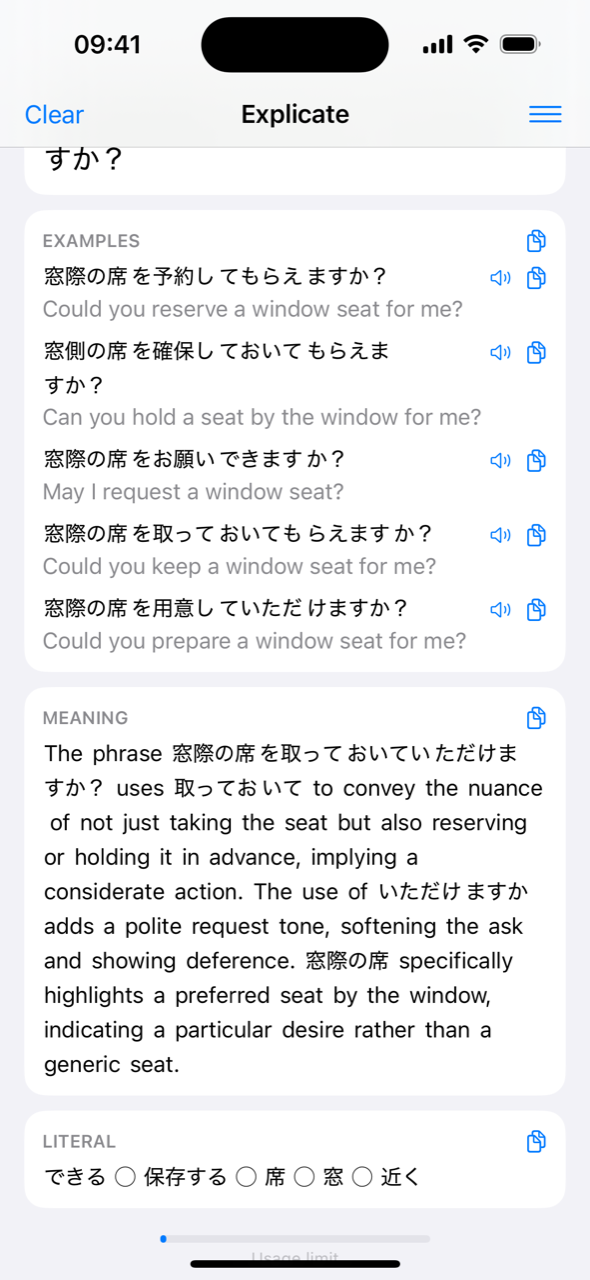
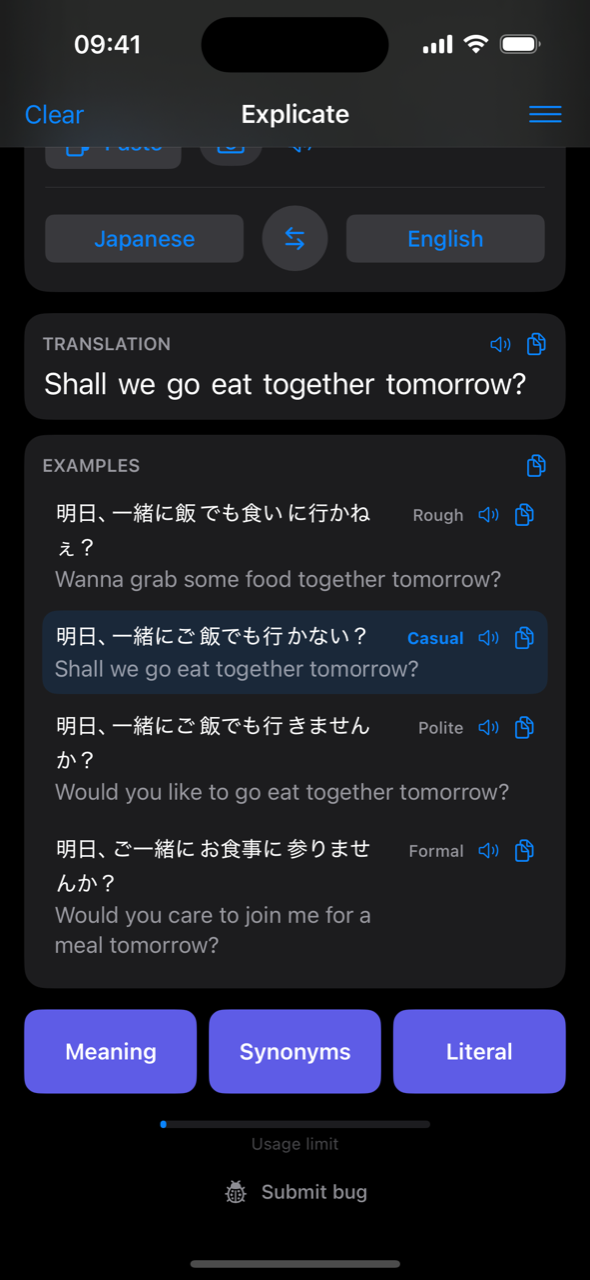
One tap opens a plain-language explanation of the phrase: the nuance the words carry, why they were chosen, and how polite the result sounds. Ask for examples and you get real sentences you can reuse, each with its own translation and audio.


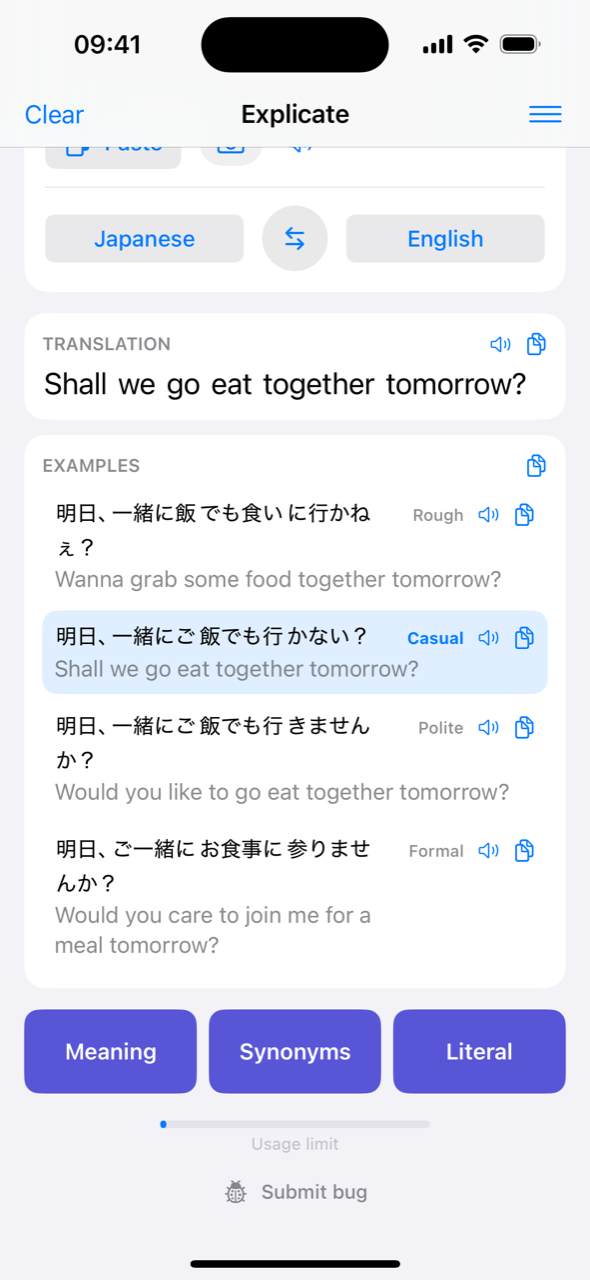
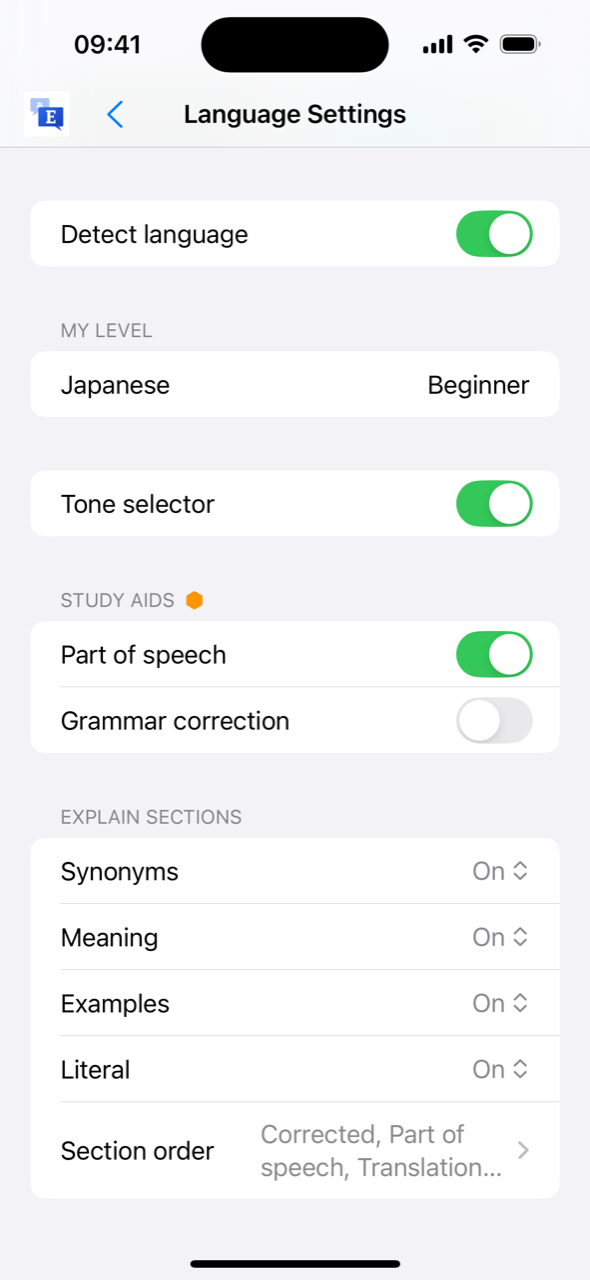
Rough, casual, polite, or formal. Choose the register before you translate, or paste something you received and see the same sentence rewritten at every level, with the one that matches the original highlighted. Perfect for languages where the wrong register is worse than the wrong word.


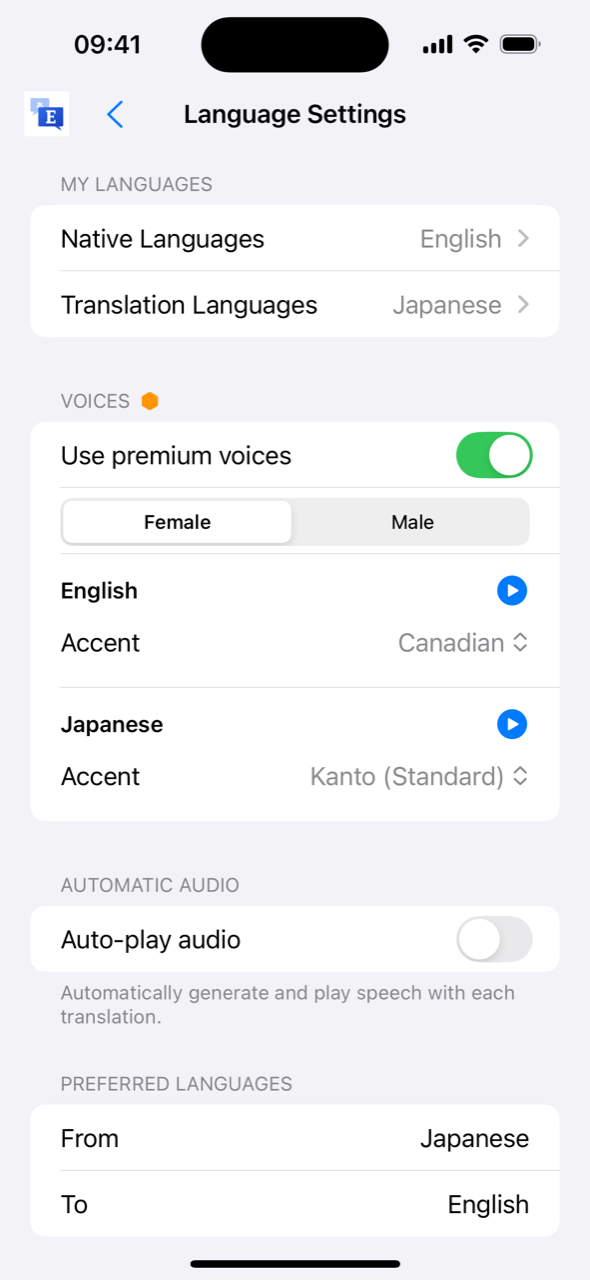
Hear any translation, example, or word in a natural AI voice. Pick a voice and a regional accent per language, and let the tone you chose shape the delivery. Turn on auto-play and every translation is read aloud the moment it arrives.


Point the camera at a menu or a sign, or pick a screenshot, and translate the text in it.
Writing in your study language? Explicate offers a corrected version of your sentence and explains what changed.
Single-word lookups tell you whether it’s a noun, verb, adjective, or particle, so you know how to use it.
Kana for Japanese, plus phonetic readings for any word you tap, so you can say what you translate.
Every translation is saved and searchable. Keep it on device, in your account, or both.
Star or study a word and it goes to your review list, ready to come back to when you have a minute.
Set your native language and the ones you’re learning. Explicate detects which one you typed and flips the pair for you.


Both plans include the full app. Premium raises your monthly usage and unlocks premium voices and photo translation.
Usage resets on the first of every month. Test the beta build and Premium stays free on your account for life.
Explicate is in beta on TestFlight ahead of its App Store launch. Test the beta build and Premium is yours free for life, along with early access to new features and a direct line to the developer from inside the app.
iPhone, iOS 17 or later. We only use your email to send the invite.